 Jigar Karangiya
In Today’s Blog, We will understand Adobe Commerce Cloud Project Structure. We will also look at some important cloud files used for credentials and application configuration.
Adobe Commerce or Magento Cloud is an automated hosting platform with a self-service approach to building, deploying, and managing your Commerce application.
Adobe Commerce uses AWS (opens in new tab) to host Commerce projects and is built on the Platform.sh (opens in new tab) which makes it easy to manage code, environment, and accelerated deployment.
It includes all code in Git branches, associated environments, and scripts to deploy the Commerce application. Environments (opens in new tab) contain services to support the Commerce application, including a database, web server, and caching server.
Adobe provides a Cloud Console (opens in new tab) and developer tools (opens in new tab) to manage all aspects of your project.
Adobe Commerce Cloud Repository
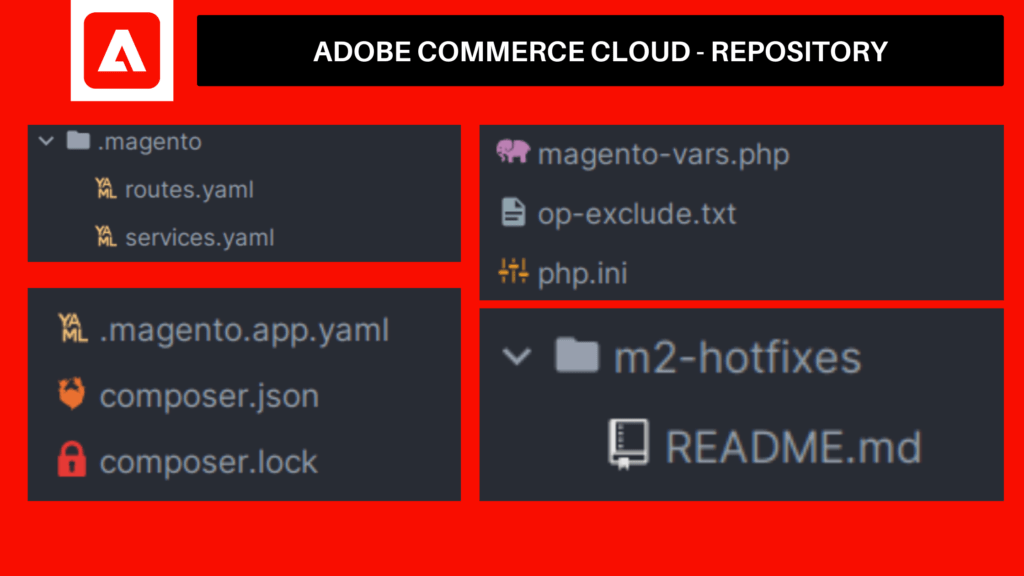
If you take a look at the Adobe Commerce Cloud GitHub repository (opens in new tab) you will find out below files that allow you to control its behavior.
| File | Description |
|---|---|
| /app | This place is used for your custom modules, custom themes (opens in new tab) and configuration files for the application. |
[/m2-hotfixes](https://github.com/magento/magento-cloud/tree/master/m2-hotfixes) | This folder is used to store custom patches which are automatically applied in the build phase using the ece-tools build command. (Read more.. (opens in new tab)) |
[.gitignore](https://github.com/magento/magento-cloud/blob/master/.gitignore) | This file specifies which files and directories need to be ignored in git tracking. |
[/.magento/routes.yaml](https://github.com/magento/magento-cloud/blob/master/.magento/routes.yaml) | Defines the routes of the project. |
| Each route describes how an incoming URL is going to be processed. | |
| (See Reference (opens in new tab)) | |
[/.magento/services.yaml](https://github.com/magento/magento-cloud/blob/master/.magento/services.yaml) | We can manage versions of applications like MySQL instance (MariaDB), Redis, and OpenSearch or Elasticsearch |
[.magento.app.yaml](https://github.com/magento/magento-cloud/blob/master/.magento.app.yaml) | The .magento.app.yaml file controls the way that your application builds and deploys. (Reference Link (opens in new tab)) |
.magento.env.yaml | The .magento.env.yaml file uses environment variables to centralize the management of build and deploy actions across all of your environments, including Pro Staging and Production. (Reference Link (opens in new tab)) |
[composer.json](https://github.com/magento/magento-cloud/blob/master/composer.json) | This file is used to manage product installations and upgrades. |
[composer.lock](https://github.com/magento/magento-cloud/blob/master/composer.lock) | This file stores a set of exact version dependencies that satisfy the version constraints of every requirement for every package in the dependency tree of the project |
[magento-vars.php](https://github.com/magento/magento-cloud/blob/master/magento-vars.php) | Like configuring an NGINX virtual host, we can configure Multiple websites or stores (opens in new tab) by passing the MAGE_RUN_CODE and MAGE_RUN_TYPE variables. (See Reference (opens in new tab)) |
| op-exclude.txt (opens in new tab) | Used to exclude files for OPcache configuration. |
| php.ini (opens in new tab) | This is a project-specific configuration file containing your web server’s PHP settings. |
As mentioned above files, let’s closely look at some mainly important files and understand the purpose of each file.